New changes in Project Flow
What's improved this week
This release lets you choose which partner company's details appear on an invoice, stops price list lines from overlapping, and handles Icelandic króna without decimals. It also makes reports and exports more consistent and fixes errors in invoices, currencies, time registration and absence. In short:
- You can choose which partner company's details appear as the supplier on an invoice.
- Price list lines with overlapping dates are blocked.
- Icelandic króna is handled without decimals in expenses and invoices.
- Project budgets in several currencies use the invoice's exchange rate and warn you when a rate is missing.
- The Activity report loads faster, and report totals and exports are complete.
- Errors in invoices, currencies, reports, time registration and absence have been fixed.
Changes
Price List Lines Can No Longer Overlap
Why? Price list lines covering the same dates for the same entity made it unclear which rate applied to a project.
What's changed? Saving is now blocked when price list lines overlap, for company-level and customer-level price lists. The message names the overlapping period. You are also asked to confirm before existing lines are adjusted.
Where to find it? Price lists.
Icelandic Króna Without Decimals
Why? Icelandic króna (ISK) has no decimals, but amounts were shown and stored with them.
What's changed? ISK amounts are now handled without decimals in calculations, expenses and invoices. Invoice rows and tax are rounded down to whole numbers, and invoices in ISK show whole amounts.
Where to find it? Expenses and invoices in ISK.
Project Budget Uses the Invoice's Exchange Rate
Why? On projects with several currencies, invoiced time was counted as zero when no exchange rate could be found, so income and profit could look too low.
What's changed? Invoiced time records now use the exchange rate from their invoice. If no rate can be found, the budget and the Projects report show the figures as not calculated and display a warning instead of a zero.
Where to find it?
- The project budget.
- The Projects report.
Faster Activity Report and Complete Report Totals
Why? The Activity report loaded all its data at once on large data sets, and totals could depend on how many rows were shown on screen.
What's changed? The Activity report now loads one page at a time, and empty groups are no longer counted. Totals and exports in the paginated reports include everything that matches your filters, whatever the page size.
Where to find it?
- The Activity report.
- Report totals and Excel and PDF exports.
A Helpful Message in the Task Dropdown
Why? When "Show only open tasks assigned to me" was ticked and you had no tasks, the dropdown was empty with no explanation.
What's changed? The dropdown now says: "No open tasks assigned to you. Uncheck the filter to see all tasks on the project."
Where to find it? The task dropdown when you register time.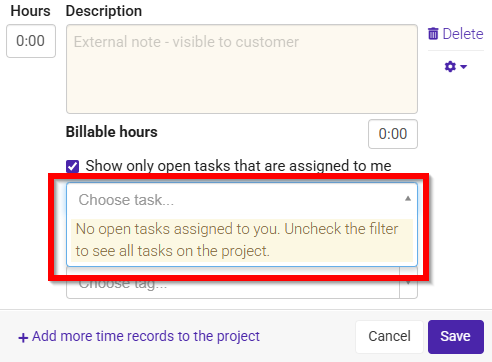
A Clearer Chat Window
Why? The chat window did not stand out from the page, and some edges were cut off.
What's changed? The chat window now has shading and spacing around it, in both the open and the minimised state, so it is never cut off.
Where to find it? The chat window.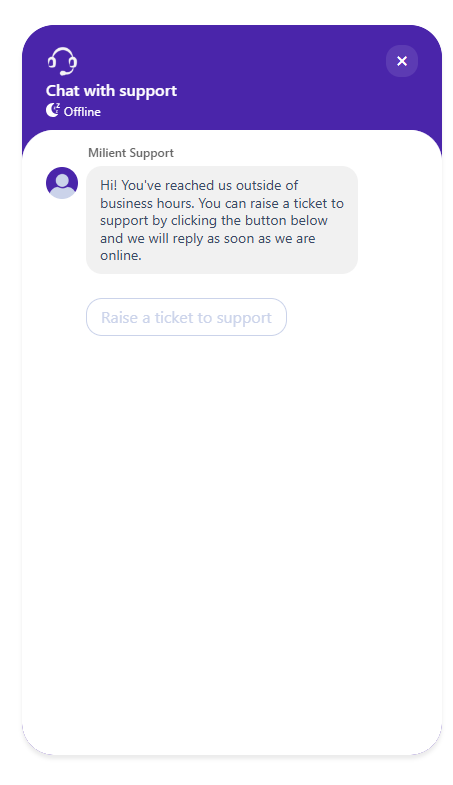
Sunset Message Hidden on Two Legacy Pages
Why? The sunset message on pages that still work caused unnecessary concern.
What's changed? The message is no longer shown on the Company KPI pages and on the old Milestones page.
Where to find it?
- Company KPI pages.
- Milestones (old), in the project details.
New functions
Supplier Details on Invoices
This is mainly relevant if you issue invoices on behalf of partner companies. If you don't, you can skip this part.
Why? German and English invoices showed the main Swedish company's details, and there was no way to choose another company without editing each invoice.
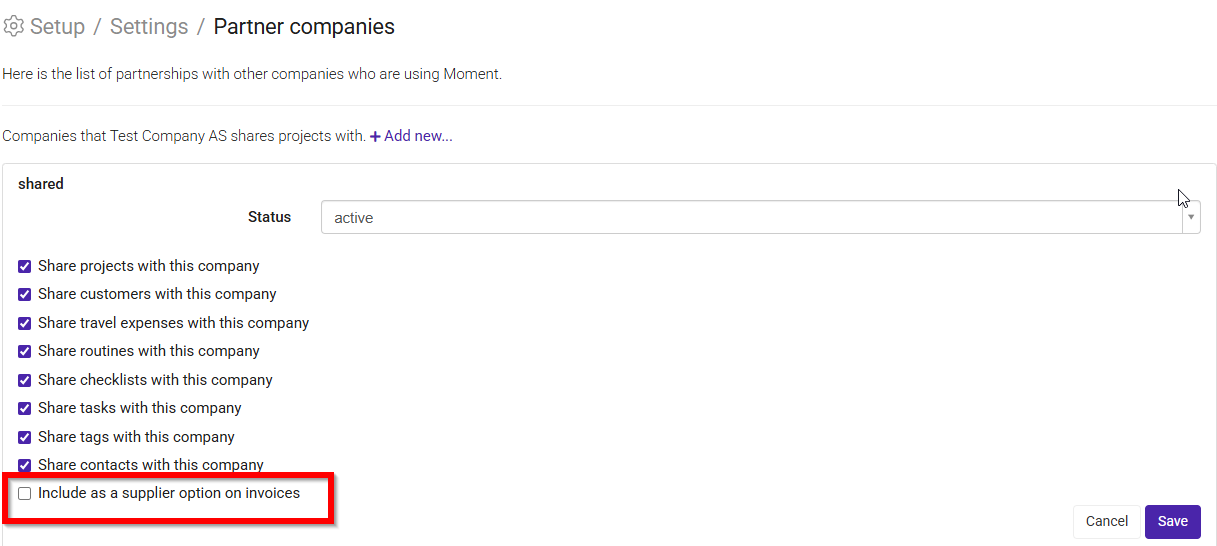
What's new? Flag the partner companies you want to use, choose a default in the invoice settings, and change it on individual invoices when needed. The footer is filled in with the chosen company's details. German and English invoices no longer show the main Swedish company's details by default, and the footer stays empty until you choose a partner company.
Where to find it?
- Setup > Settings > Partner companies.
- Invoice settings.
- The invoice details.
Plan and Integration Model on Products
This is mainly relevant if you manage the product list in Moment. If you don't, you can skip this part.
Why? Product variants were hard to tell apart when you picked a product on subscriptions and offers.
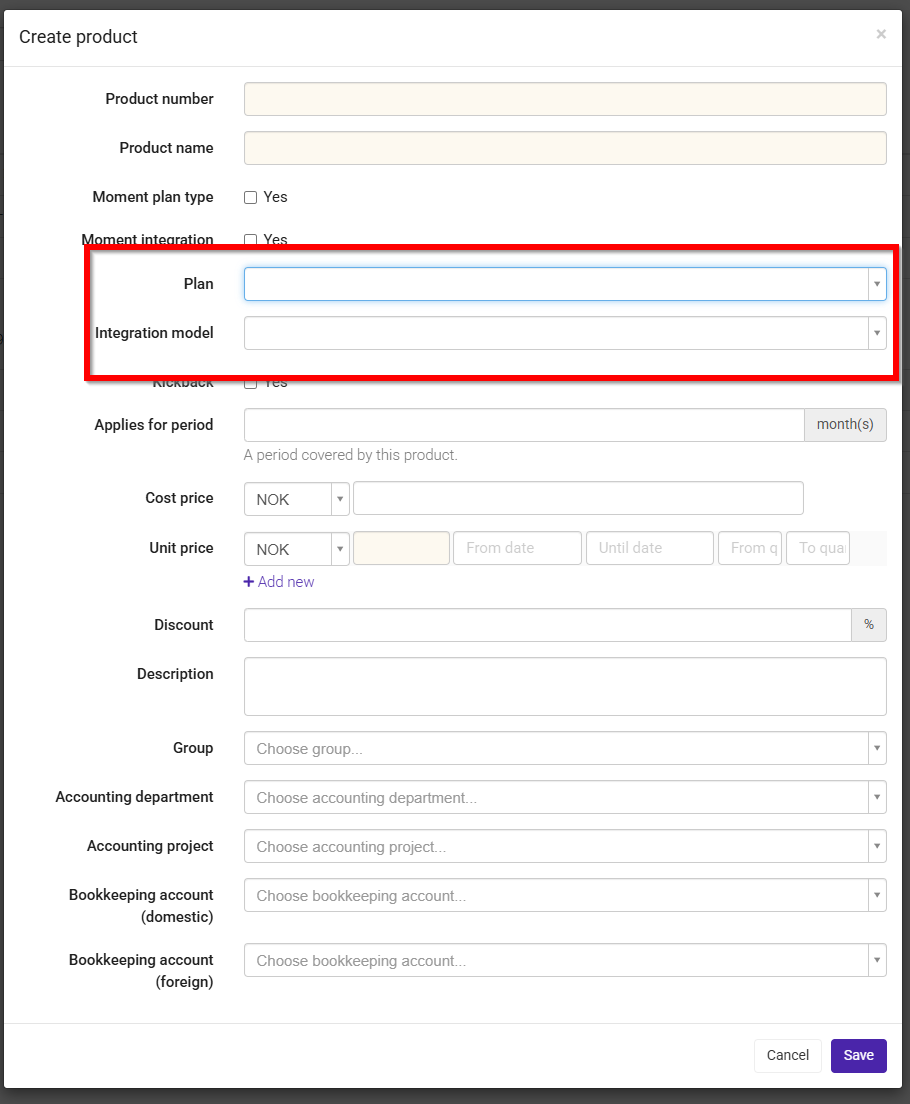
What's new? The product editor has new Plan and Integration model fields. Product pickers show them as a suffix while you choose a product, so variants are easier to tell apart. The suffix is removed once the line is created, so it does not appear on subscription lines, offer lines or the PDFs.
Where to find it?
- The product editor.
- Product pickers on subscription and offer lines.
Bug fixes
These were problems that have now been fixed. The numbers are for reference only.
Invoices and currencies
- #1057 - Time specification totals: The totals in the time specification could differ from the invoice front page by a few øre when hourly rates had decimals. They now match.
- #1710 - Exchange rates on multi-currency invoices: Invoice line prices and the invoice total could use different exchange rates. Both now follow the "Use default rate on invoices" project setting.
- #1804 - Multi-month budget figures: Budget and to-be-invoiced figures over several months were converted at today's rate. Each month is now converted at its own rate.
- #2131 - Invoice history total on price models: The total added amounts in different currencies into one number. It now converts them to the project currency and shows the currency code.
Reports
- #2192 - Sorting in grouped Hour and Absence reports: Rows inside each group ignored the selected sort column. They now follow it.
- #2213 - Row order in grouped Overtime, Co-workers and Contacts reports: Rows inside each group appeared in a changing order. They are now in a consistent order.
Time registration and absence
- #1095 - Locked timesheet periods: A time record could be moved into a locked period by editing its date. This is now blocked, on all platforms.
- #1104 - Approves absence for: Changes to "Approves absence for" on an employee's profile were not saved. They are now saved, and the success message only appears when the save worked.
- #1111 - Annual leave overview: The Annual leave table under Company > Absence overview could hang on smaller screens. It now scrolls smoothly.
- #1113 - Report time: The project details tooltip did not show when you hovered over a project name. It shows again.
Projects and offers
- #1098 - Deleting an offer: The message explaining why an offer cannot be deleted was cut off. The whole message is now visible.
- #1108 - Search in project activities: The search bar disappeared after a search. It now stays visible.
Integrations
- #1061 - Fortnox expense import: Project expenses could be imported a second time when a voucher was changed in Fortnox, which could lead to double invoicing. Existing expenses are now recognised, and removed voucher rows are skipped.
Removed functionality
Nothing has been removed in this release.
Was this article helpful?
That’s Great!
Thank you for your feedback
Sorry! We couldn't be helpful
Thank you for your feedback
Feedback sent
We appreciate your effort and will try to fix the article