For: Admins · Time: about 5 minutes
You need: the Custom Field Groups extension
When you have lots of custom fields, the Custom Fields tab gets long. The Custom Field Groups extension splits fields into named sections, such as Finance, Marketing and Tech for projects, or HR and Skills & Training for people. You also control which projects or resources see each group.
Everyone with custom fields starts with one default group, which you can rename. The extension has a 7-day free trial under Settings → Add / Remove Extensions.
Create a group
- Go to Settings → Resource Custom Fields or Project Custom Fields.
- Click Create new group, enter a name and click Save.
- Use the Custom Field Group dropdown to switch between groups and add new fields to the one you're viewing.
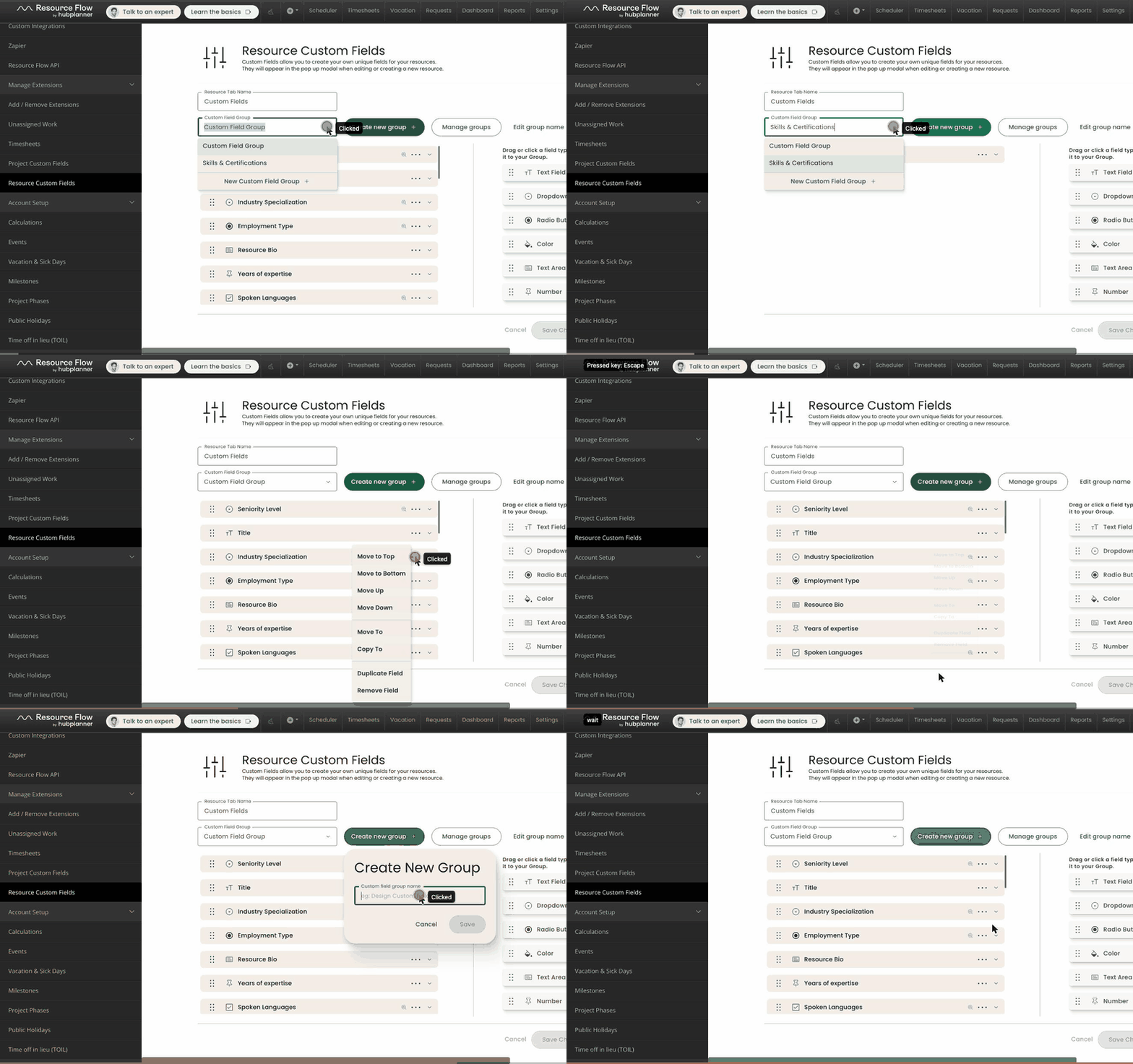
Creating a group and moving a field into it
Move or copy fields between groups
Click ⋮ on a field and choose Move To or Copy To. Moving keeps all the data already entered, so nothing is lost. A field can sit in more than one group. The same menu also lets you reorder, duplicate or remove fields.
Choose who sees a group
Click Manage groups, then choose which projects (or resources and resource groups) the group appears on. Type to filter the list. You can also tick the option to add the group to all new projects automatically.
Fill in grouped fields
In a project or resource's Custom Fields tab, each group is a section you can expand or collapse. Turn on Expand All Groups to see everything at once.
? Tip: Only make a field Required if it applies to everyone who sees that group.
FAQ: What happens if I uninstall the extension?
All fields move back into the default group. No data is lost, and filters, search and reports keep working as before.
Related articles
Was this article helpful?
That’s Great!
Thank you for your feedback
Sorry! We couldn't be helpful
Thank you for your feedback
Feedback sent
We appreciate your effort and will try to fix the article