For: Everyone · Time: about 3 minutes
You need: Google Calendar, Outlook or Apple Calendar
See your Resource Flow bookings in Google Calendar, Outlook or Apple Calendar by subscribing to your personal iCal feed. The feed is one-way: changes in Resource Flow show in your calendar, but changes in your calendar don't come back.
Set up your feed
- Go to Settings → My Settings → My iCal Feed.
- Under My Feed, choose what each calendar event is called: Project Name, Resource Name, or Resource & Project Name.
- Tick Include Hrs / % Allocation and Include Project code before Project title if you want them.
- Choose your Timezone so times line up with your calendar, then click Save.
- Click Subscribe to my iCal feed and copy the link it gives you.
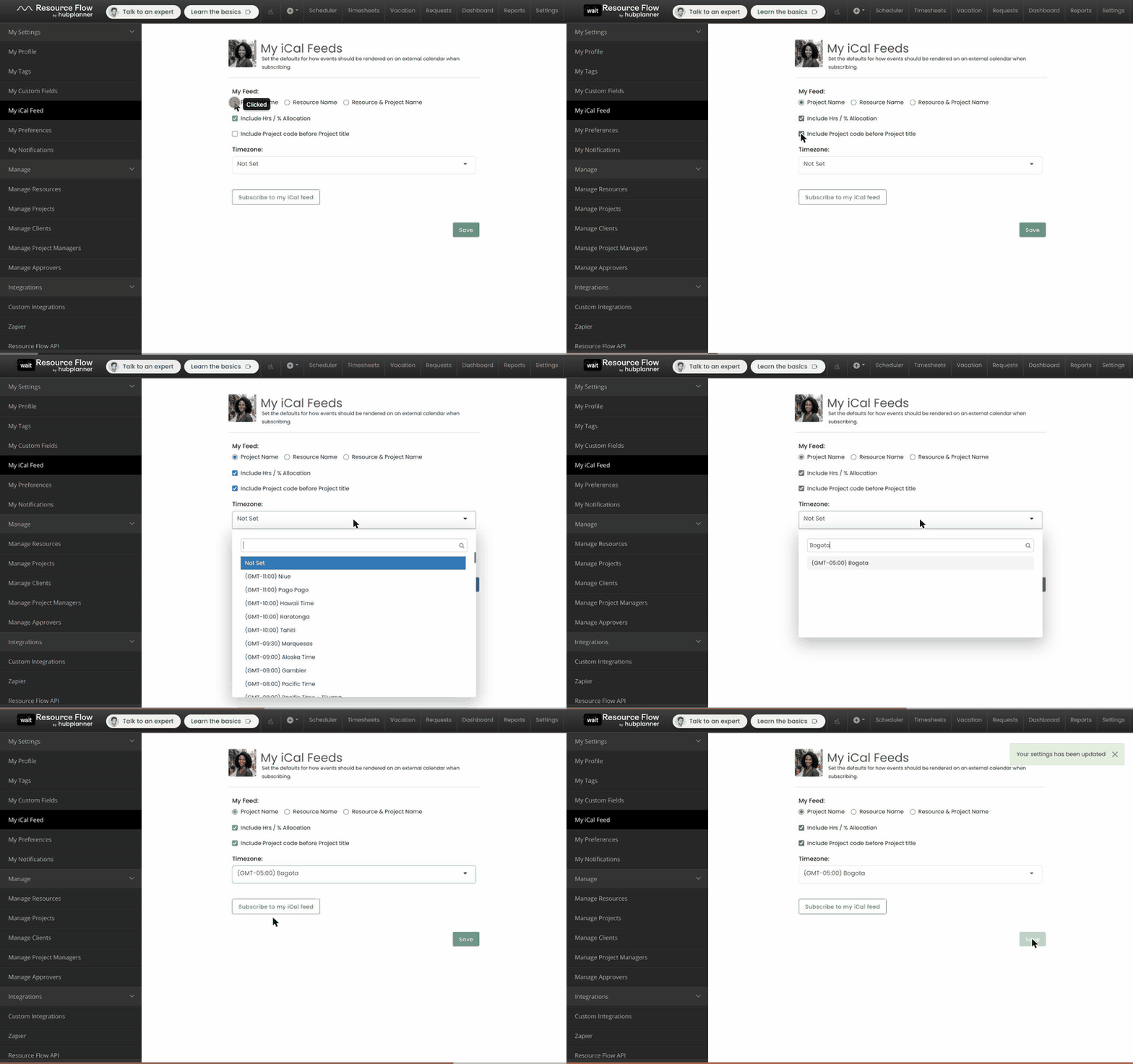
Choosing iCal feed options and timezone
Add it to your calendar
- Google Calendar: Other calendars → + → From URL, then paste the link.
- Outlook: Add calendar → Subscribe from web, then paste the link.
- Apple Calendar: File → New Calendar Subscription, then paste the link.
⚠️ Warning: Keep your link private. Anyone with your feed link can see your bookings. If it's shared by mistake, contact support to reset it.
? Tip: Calendar apps refresh subscribed calendars on their own schedule, from every few minutes to several hours, so new bookings may take a while to appear.
For admins: calendar subscription can be turned on or off for the whole account in Settings → Account Settings → Enable Calendar Subscription.
Related articles
Was this article helpful?
That’s Great!
Thank you for your feedback
Sorry! We couldn't be helpful
Thank you for your feedback
Feedback sent
We appreciate your effort and will try to fix the article