Find Checklists by opening a task or project where a checklist has been attached.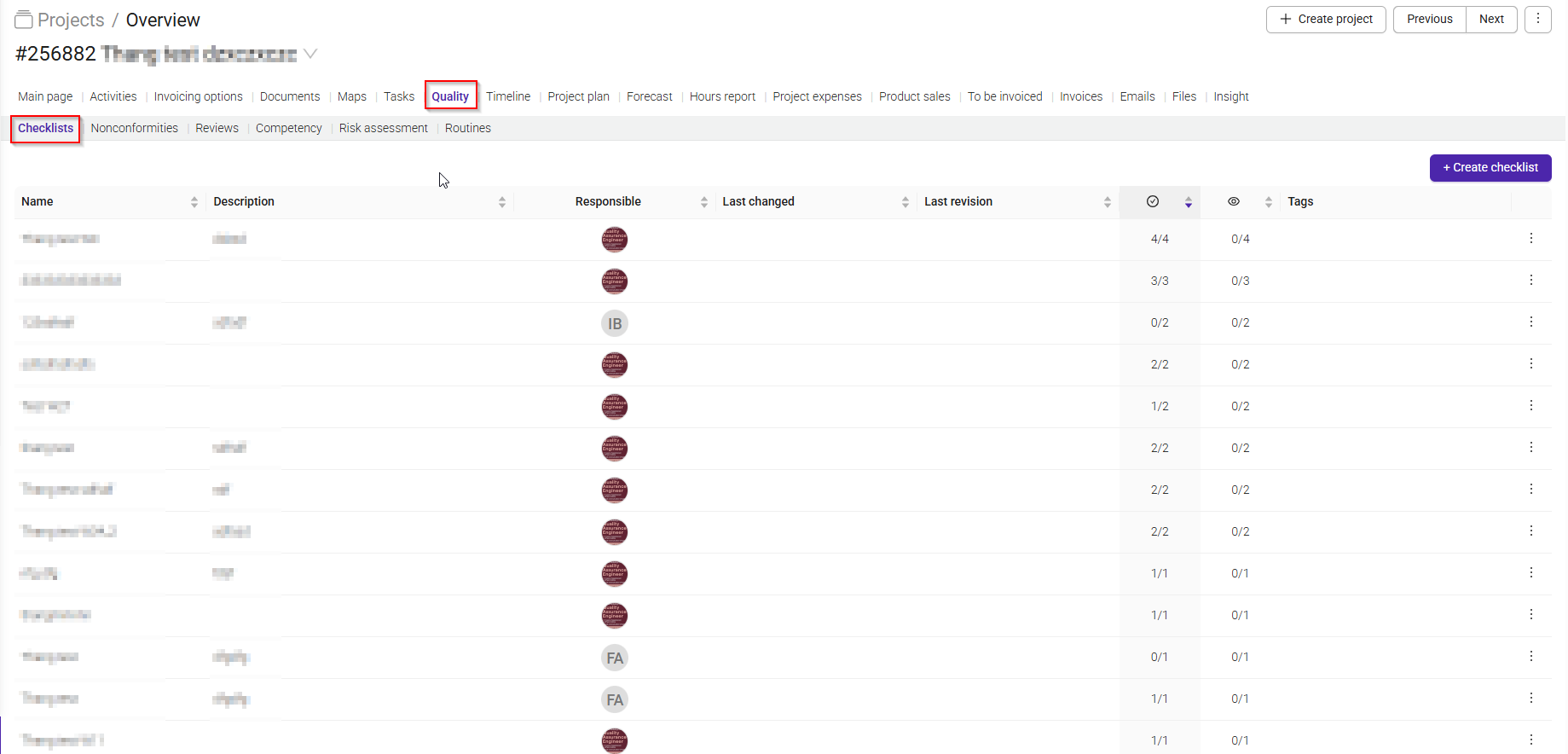
Checklists help ensure tasks are completed correctly and consistently by providing a structured list of steps that must be completed and verified. They are commonly used for quality control, recurring processes, and activities where mistakes can have consequences.
Go to Quality > Checklist Templates to create and manage checklist templates available to all projects across the company.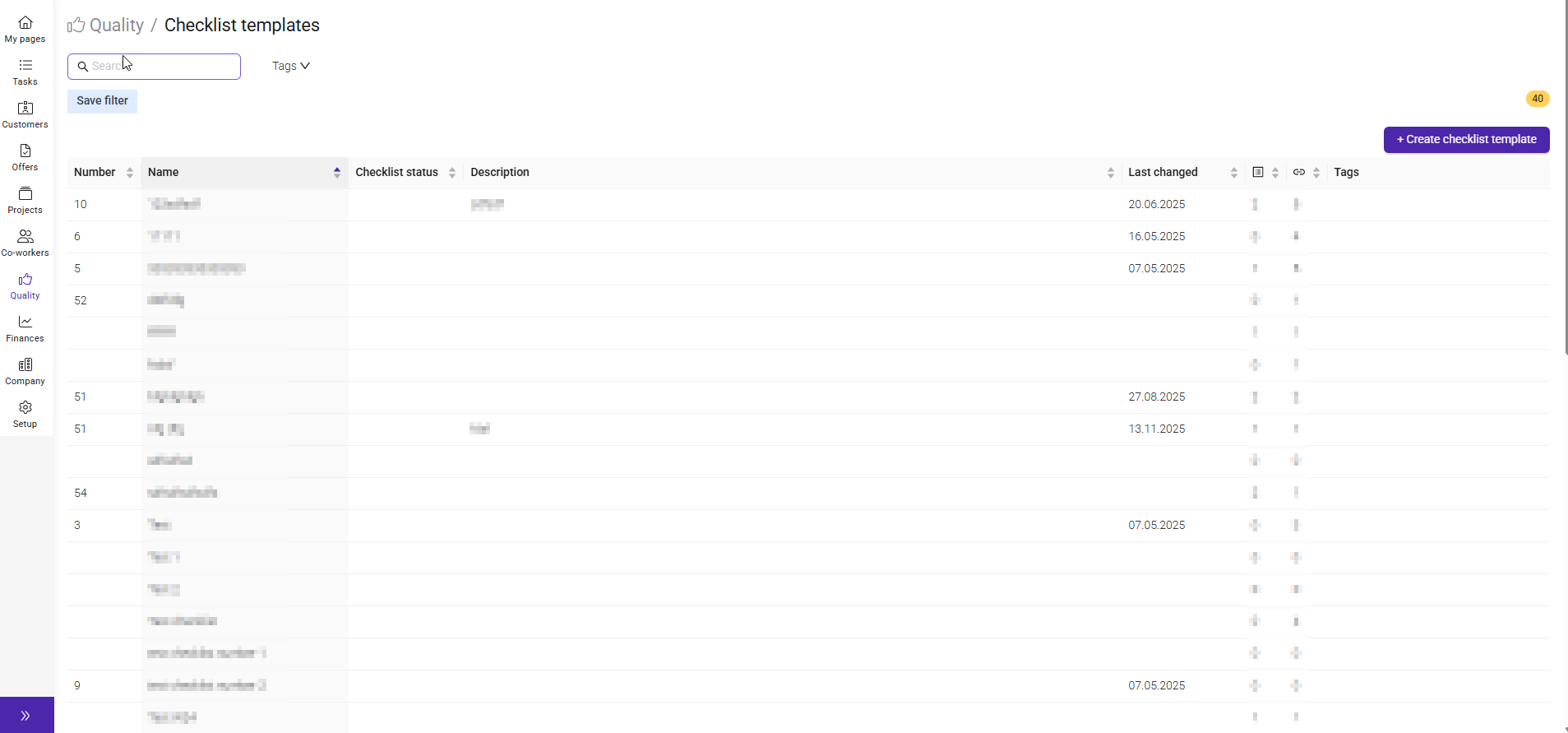
Here you can manage existing checklist templates and create new ones.
For each template, you can see:
- Name – The name of the checklist template.
- Checklist Status – Indicates whether the template is active or inactive.
- Description – A short explanation of the checklist's purpose.
- Last Changed – The date the template was last updated.
- Items – The number of checklist items included in the template.
- Projects in Use – The number of projects currently using the template.
- Tags – Categories used to organize and find templates more easily.
Use the '+ Create Checklist Template' button to create a new template that can be reused across projects throughout the organization.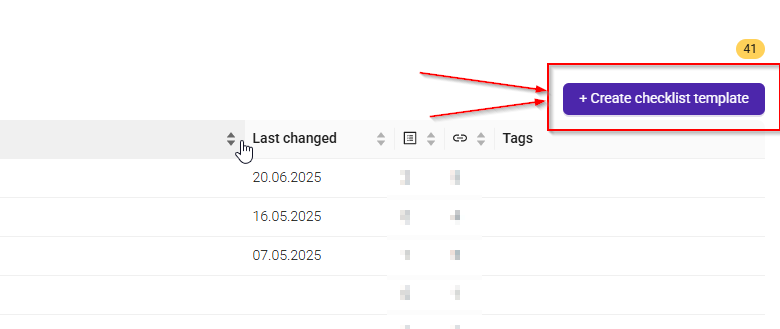
A new window will open where you get this options:
- Create new – Create a brand-new checklist template by entering a Name and an optional Number.
- Import checklist – Import an existing checklist from your computer
- Company group – Create a template that can be shared within a specific company group.
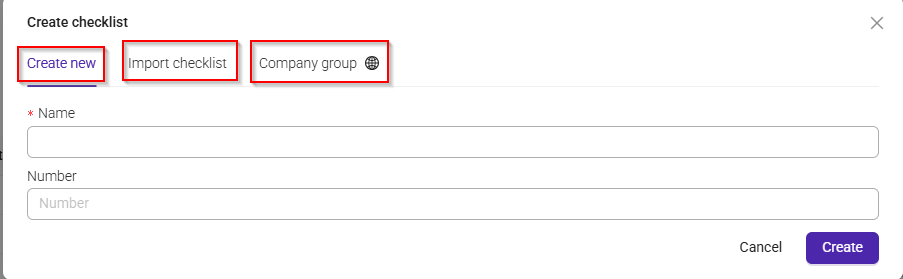
Once you have entered the required information, click 'Create' to save the template.
Was this article helpful?
That’s Great!
Thank you for your feedback
Sorry! We couldn't be helpful
Thank you for your feedback
Feedback sent
We appreciate your effort and will try to fix the article