Find Logs by clicking Company → Logs
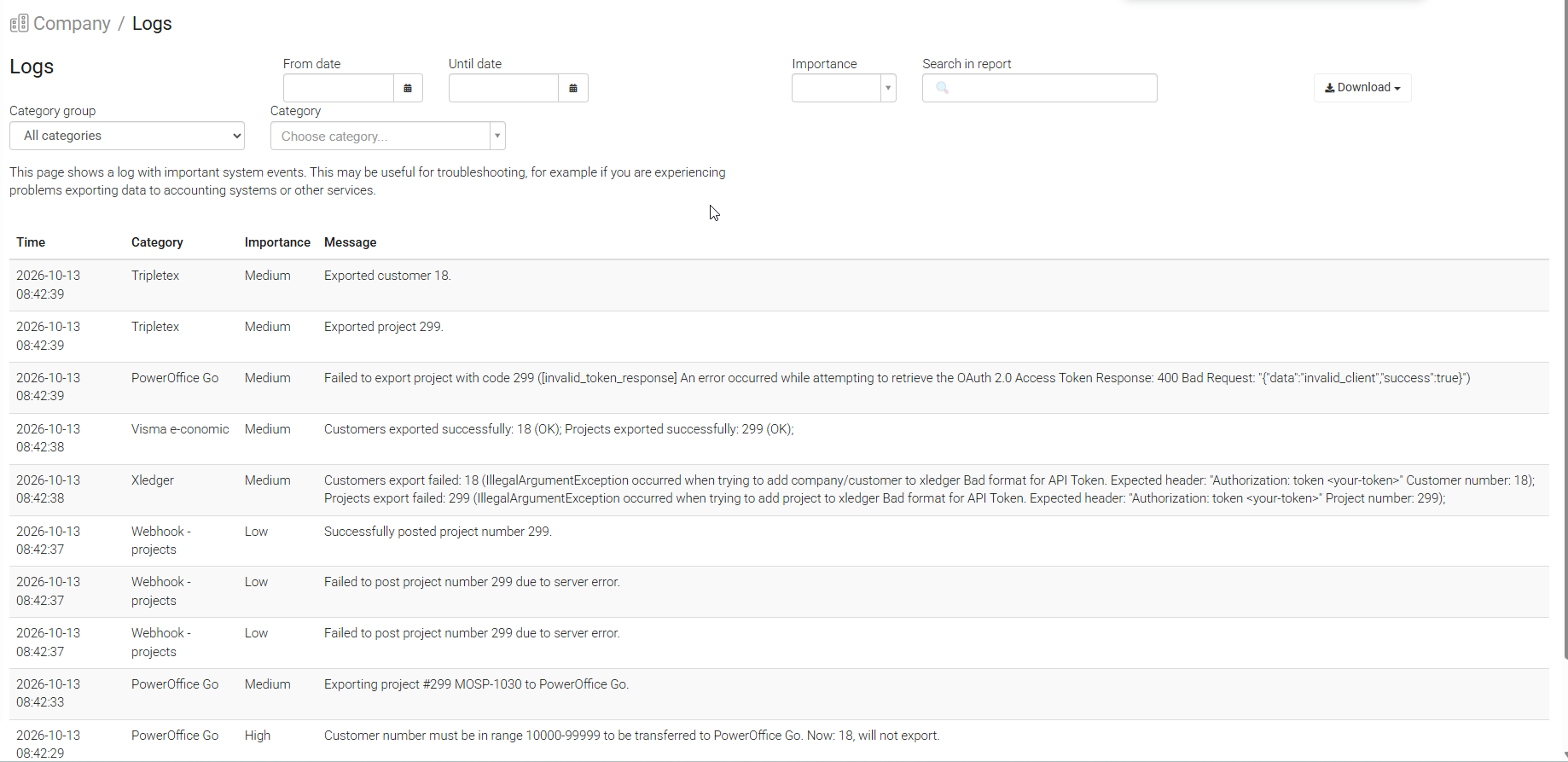
The Logs page gives you an overview of integration activity between Moment and connected external systems, such as accounting software.
You can use it to check whether data was transferred successfully, investigate export errors, and troubleshoot integration issues.
Note: The Logs page is only available if your company has at least one active integration connected to Moment.
The search field in the top right corner allows you to search for either specific keywords or invoice/customer numbers that for some reason have not been exported.
Was this article helpful?
That’s Great!
Thank you for your feedback
Sorry! We couldn't be helpful
Thank you for your feedback
Feedback sent
We appreciate your effort and will try to fix the article