The Forecast feature in Moment helps you estimate future project revenue by applying probability percentages to fixed-price or subscription-based projects.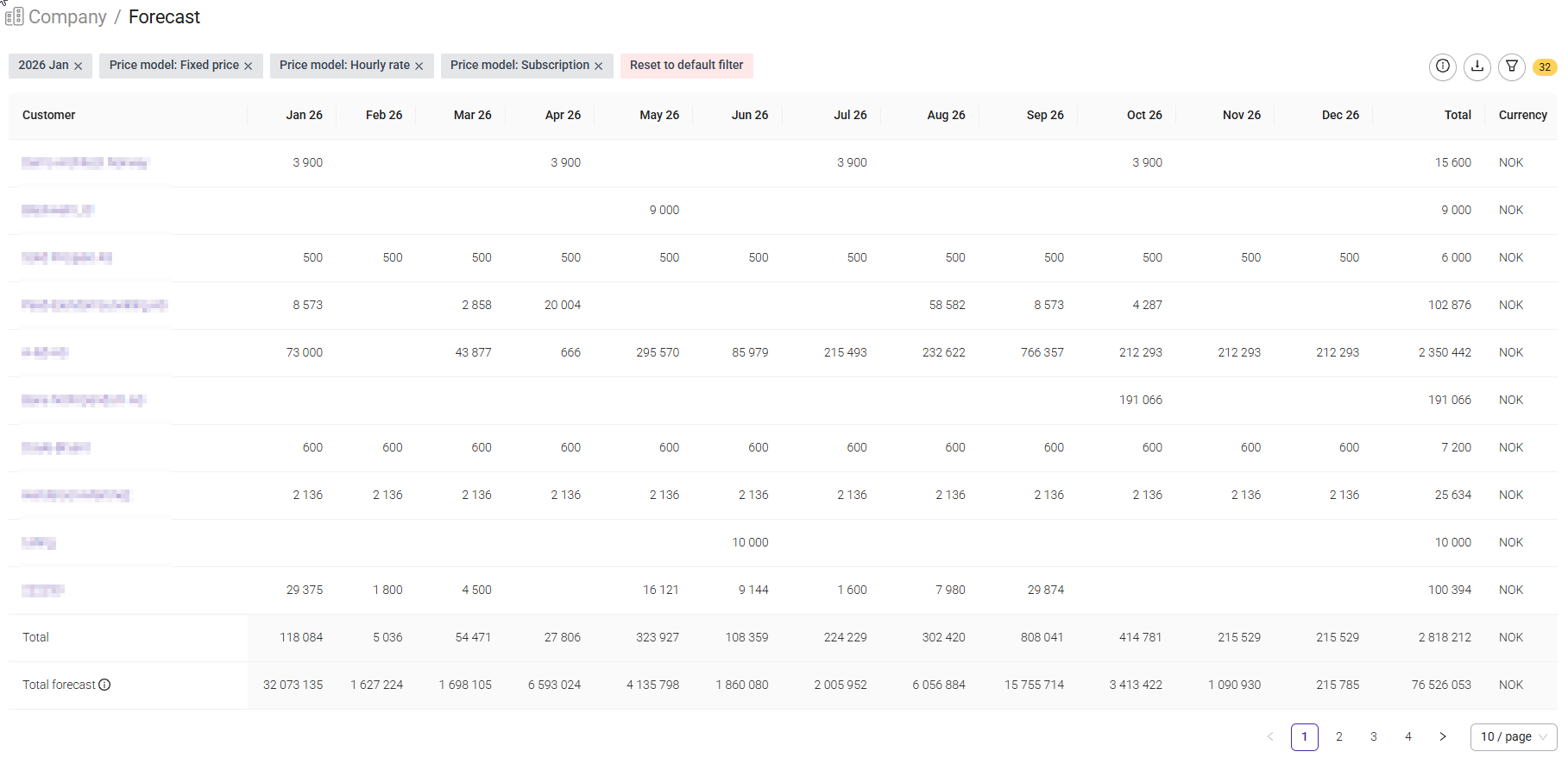
This is useful when you are working with opportunities or projects that are not yet guaranteed. By assigning a probability to a price model, Moment can show a more realistic forecast of expected revenue.
To use forecasting with probabilities, you must first enable the feature.
Navigate to: Setup > Settings > Projects > Price models
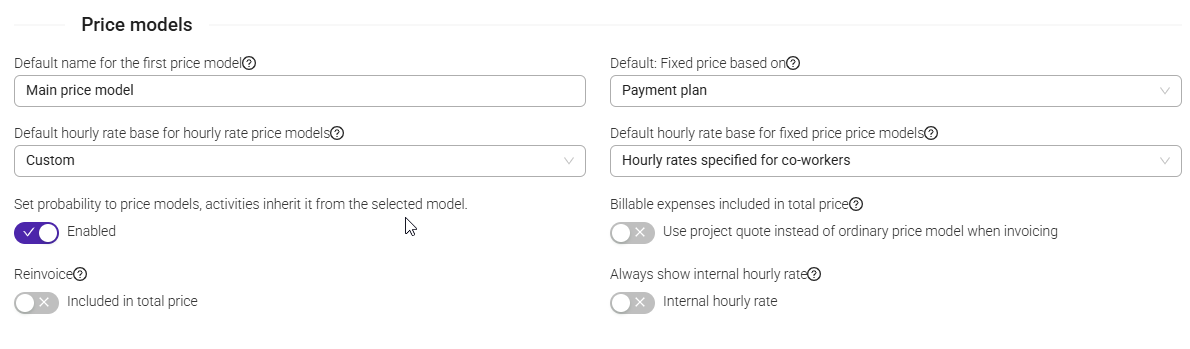
Enable the setting:Once enabled, probabilities can be added to price models within projects.
Note: This feature is only available for Fixed Price and Subscription price models.
Set up probabilities on a project
- Open the project.
- Navigate to the project's Price model section.
- Create or edit a price model.
- Select a probability percentage.
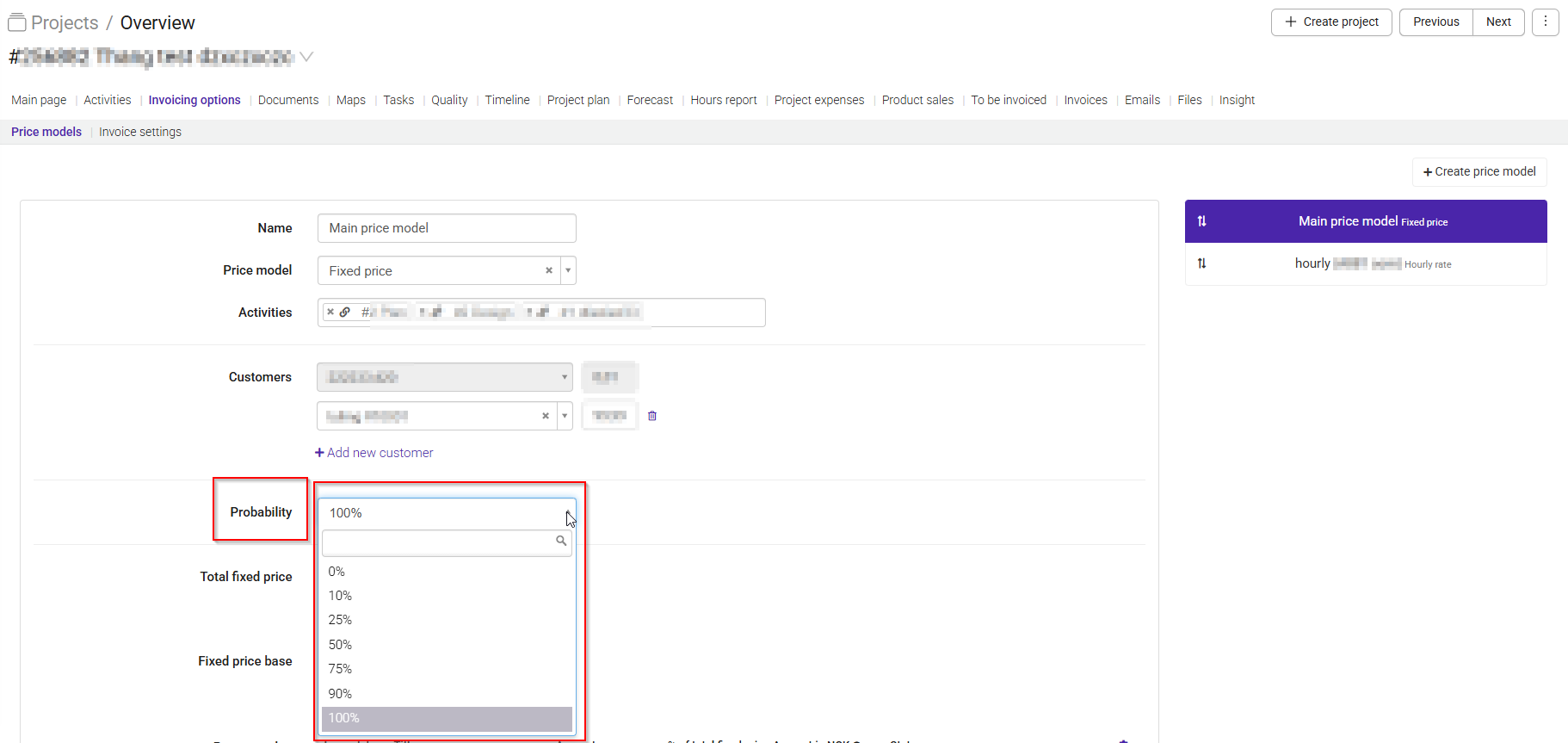
Available probability values are:
- 0%
- 10%
- 25%
- 50%
- 75%
- 90%
- 100%
By default, new price models are set to 100%.
If a project has a value of 10,000 NOK and the price model probability is set to 50%, the forecast report will show an expected revenue of 5,000 NOK.
In Moment, probabilities are assigned to the price model, not to individual activities.
If different activities require:
- Different hourly rates
- Different probability percentages
You have to create a separate price model for each activity.
To make reporting easier, consider naming each price model after the activity it represents.
Add a payment plan to the price model to calculate forecasted income. The project must include at least one payment in the payment plan.
Moment uses the payment plan together with the assigned probability to calculate forecasted accrued income.
You can see the Forecast report by navigating to the project and opening the Forecast tab.
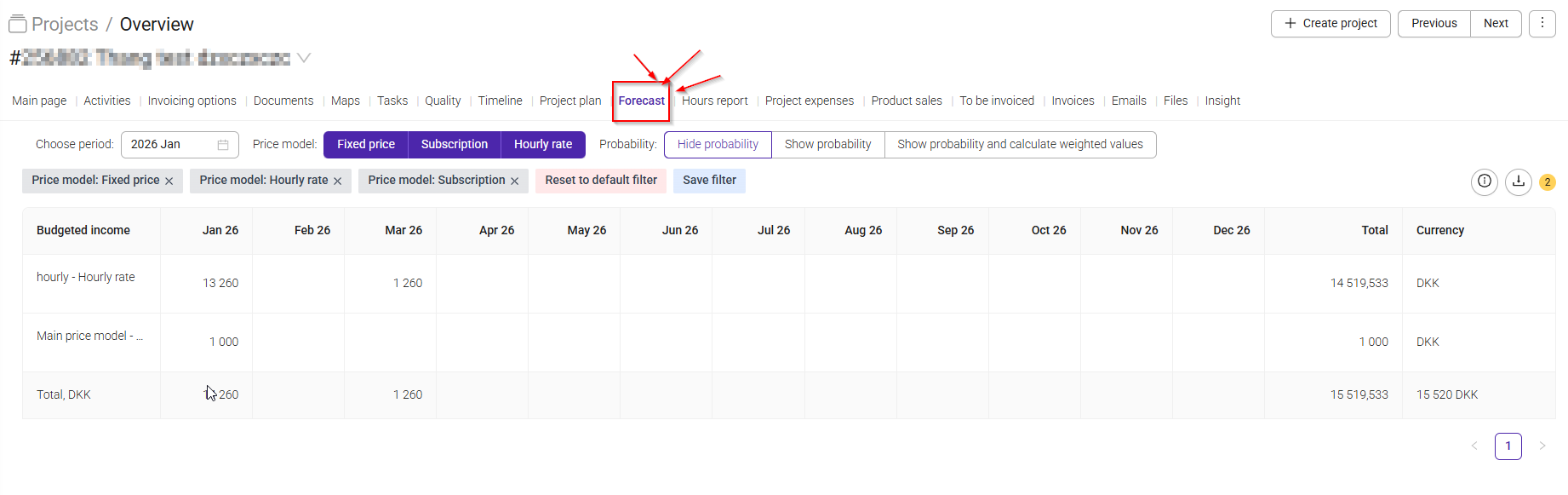
The report displays:
- Price models with assigned probabilities
- Accrued income by month
- Revenue adjusted according to the selected probability
For example:
| Price model value | Probability | Forecasted value |
|---|---|---|
| 10,000 | 50% | 5,000 |
| 10,000 | 75% | 7,500 |
| 10,000 | 100% | 10,000 |
To display probability-adjusted values:
- Open the Forecast report.
- Select Show and calculate probability.
The project forecast report also shows:
- Customer
- Project
- Related price model
- Probability-adjusted accrued income
You can view the company-wide Forecast report by opening the Forecast report at the company level.
This report provides an overview of forecasted revenue across multiple projects.
You can customize the report using grouping and filtering options, just like in other reports.
Use the available filters to refine the data and adjust how the information is organized to suit your needs.
This makes it easier to analyze expected revenue across departments, customers, or project portfolios.
Was this article helpful?
That’s Great!
Thank you for your feedback
Sorry! We couldn't be helpful
Thank you for your feedback
Feedback sent
We appreciate your effort and will try to fix the article