Find Capacity by going to Resources → Capacity.
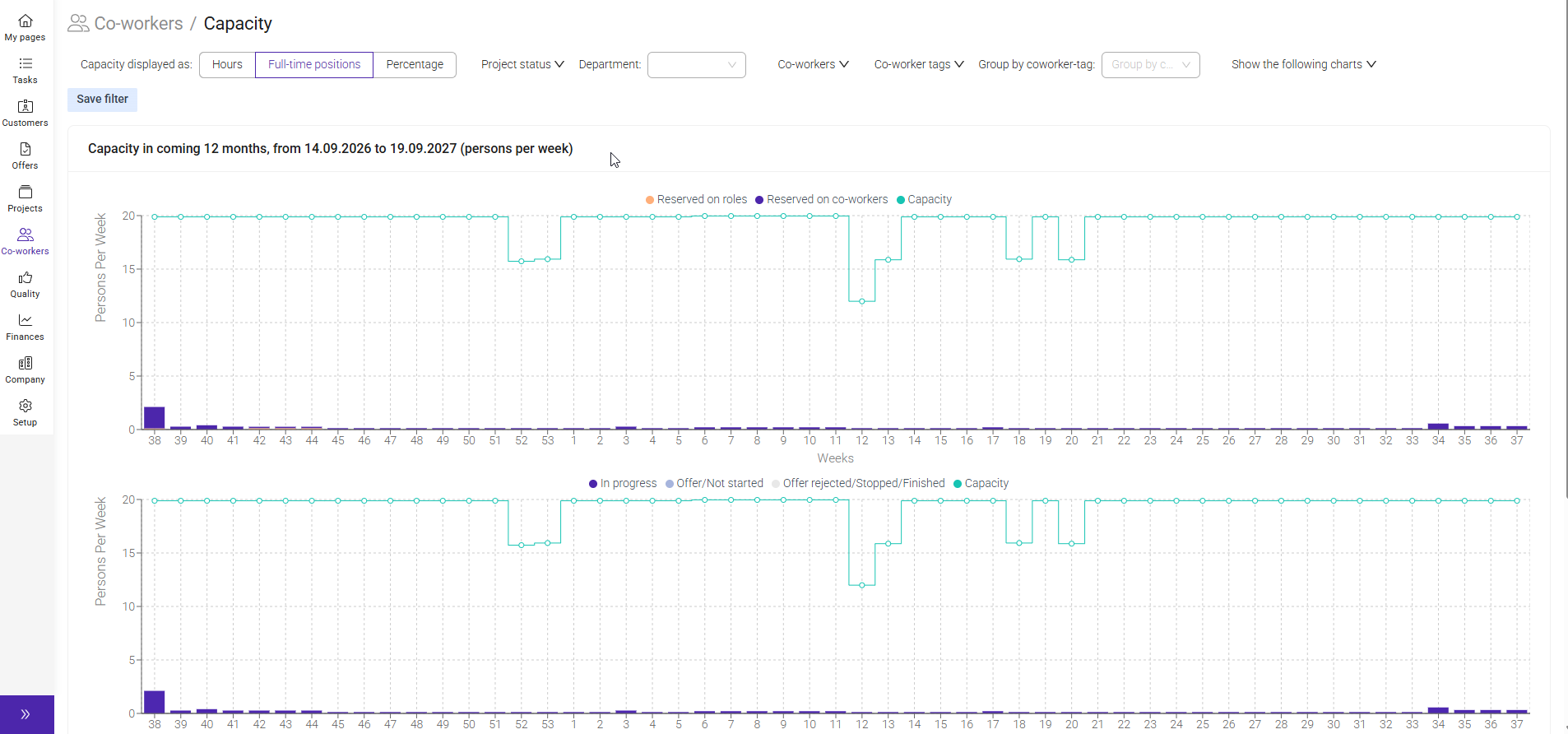
Capacity provides an overview of your organization’s available working hours compared to the hours planned on projects and reservations. It helps you determine whether resources are available, identify employees who may be overbooked, assess whether the organization can take on additional work, and understand where work should be reassigned. Capacity is designed to support future work planning and effective resource allocation.
Capacity is based on each employee's schedule.
The system uses:
- Working hours per day
- Number of working days per week
Using this information, Moment calculates:
- Total available hours per employee
- Total available hours for the company
- Remaining available capacity after planned work is allocated
Note: If schedules are not maintained correctly, capacity calculations may not reflect actual availability.
The Capacity view includes:
- Total available hours – The total working time available.
- Planned hours – Hours allocated through planning and reservations.
- Remaining capacity – Available hours that have not yet been allocated.
This information helps planners and managers make informed resource decisions.
The graphs in Resources → Capacity provide a visual overview of resource utilization.
Graph colors
- Blue = Planned hours
- Total graph area = Available capacity
By comparing the blue area with the total available area, you can quickly see whether resources are fully utilized or have available capacity.
Capacity only includes planned hours and the planned hours come from:
- Project Plan
- Reservations
Was this article helpful?
That’s Great!
Thank you for your feedback
Sorry! We couldn't be helpful
Thank you for your feedback
Feedback sent
We appreciate your effort and will try to fix the article