Products

Modified on Wed, 14 Oct at 2:16 PM

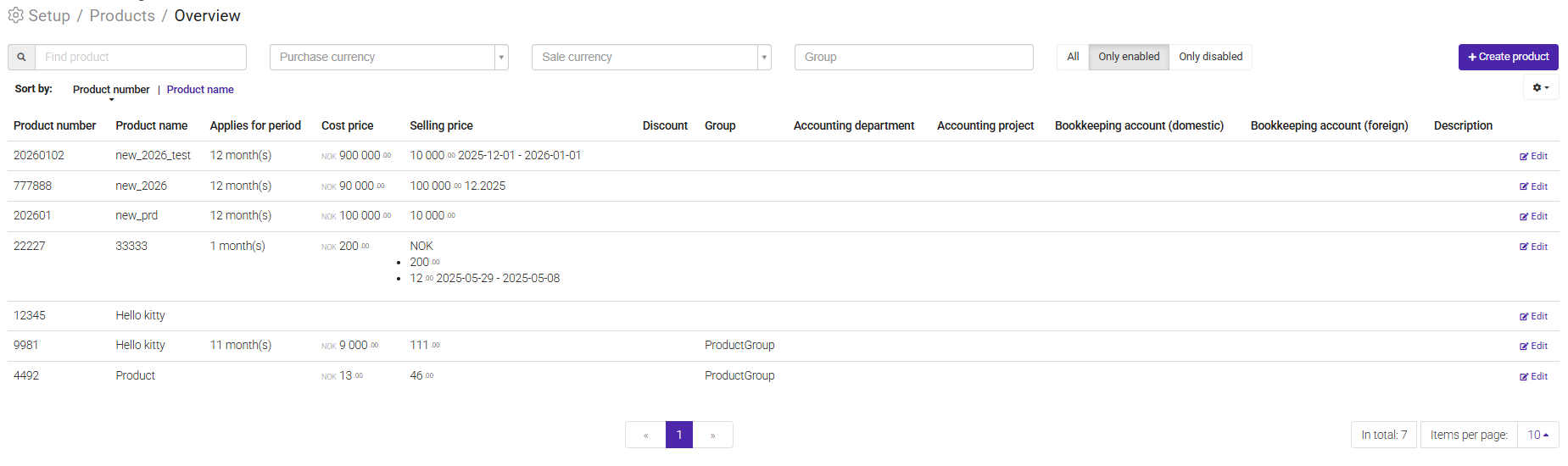
The Products module allows you to invoice products in addition to hours and fixed-price services. This can be useful for expenses, materials, rentals, or other items that should be included on a customer invoice.

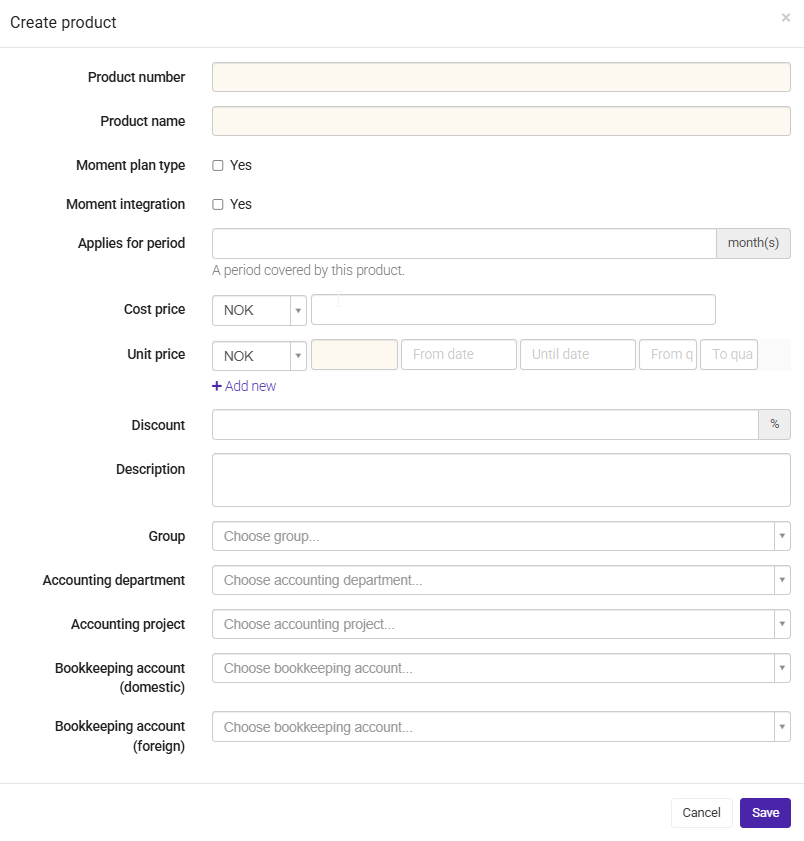
To create a new product, click New Product. A new window will open where you can configure the product settings:

  • Product Number – A unique identifier for the product. This is not generated automatically and must be entered manually.
  • Product Name – The name that will appear on invoices and throughout the system.
  • Applies for Period – Defines whether the product is related to a specific period.
  • Cost Price – The internal cost of the product.
  • Selling Price – The price charged to the customer.
  • Discount – An optional discount that can be applied to the product.


Invoice Products on a Project


Products can be added directly to a project and included in customer invoices.

Imagine you are working on a project where you need to rent a showroom for your customer to showcase a new apartment complex.


To invoice this cost:

  1. Create the product in the Products module.
  2. Open the relevant project.
  3. Go to Product Sales.
  4. Click New Product Sale.
  5. Select the product and enter the required details.
  6. Approve the product sale.
  7. Go to Approval and include the product sale on the invoice.


The product will then be invoiced together with any hours, expenses, or fixed-price services included in the invoice.


Update Products using Excel


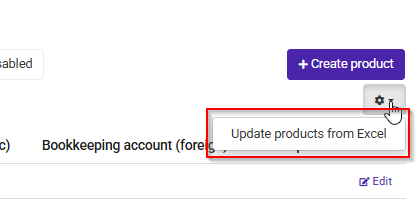
If you need to update multiple products at once, you can do so by importing an Excel file.


Export and Update Products:

  1. Click the Settings (gear) icon in the top-right corner.
  2. Download the Excel template containing your current product list.
  3. Make the necessary changes in Excel.
  4. Save the file.
  5. Upload the updated file back into Moment.

This makes it easy to maintain large product lists and update pricing or product information in bulk.


Tip: Excel import is particularly useful when updating many products at the same time, helping you avoid making changes manually one by one.

Was this article helpful?

That’s Great!

Thank you for your feedback

Sorry! We couldn't be helpful

Thank you for your feedback

Let us know how can we improve this article!

Select at least one of the reasons
CAPTCHA verification is required.

Feedback sent

We appreciate your effort and will try to fix the article