You can use the Access Control page to create and manage access roles. 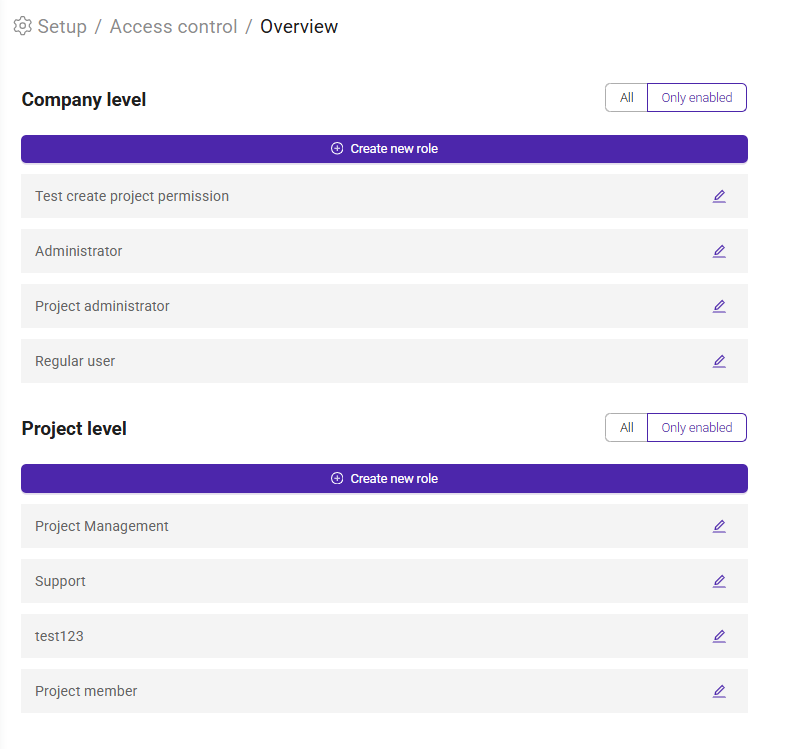
Roles can be defined at both the company level and the project level, allowing you to tailor access rights to your organization's needs.
By assigning roles, you can easily provide the appropriate level of access to multiple employees.
At the Company Level, the system includes the following predefined roles:
- Administrator – Full access to company settings and administration.
- Economy Administrator – Access to financial and accounting-related functions.
- Project Administrator – Extended project management and administration permissions.
- Regular User – Standard user access with limited administrative privileges.
At the Project Level, the following roles are available by default:
- Project Manager – Responsible for managing projects and project-related activities.
- Project Member – Standard project access for team members.
These predefined roles can be used as they are or customized to fit your organization's requirements. You can also create additional roles by clicking 'Add New' and defining the permissions needed for specific user groups.
Was this article helpful?
That’s Great!
Thank you for your feedback
Sorry! We couldn't be helpful
Thank you for your feedback
Feedback sent
We appreciate your effort and will try to fix the article