To use Tasks in Moment, you first need to activate the module
- Go to Setup → Settings → General → Modules
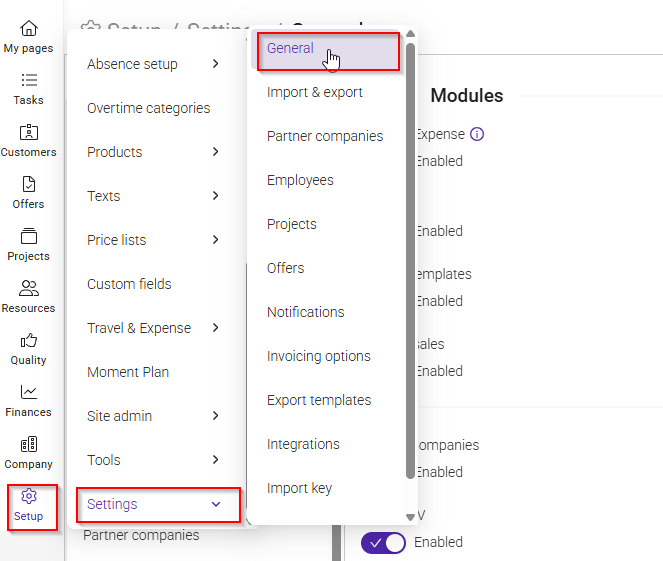
- Enable Tasks
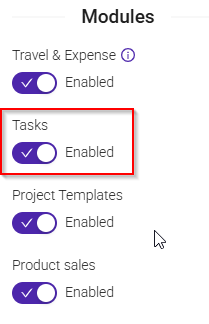
Once enabled, a new tab called Tasks will appear in the sidebar in Moment.
Task settings
You can configure default settings for tasks at company level.
- Go to Setup → Settings → General → Tasks
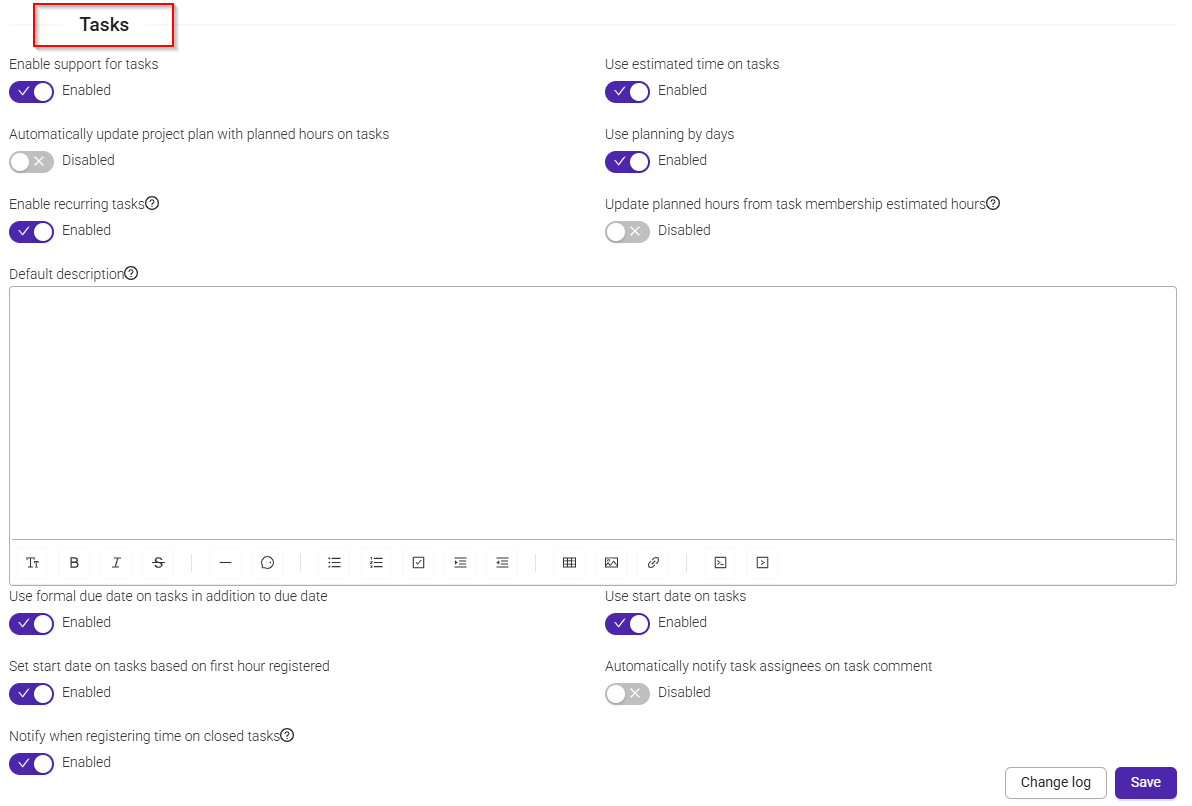
- Adjust default options for new tasks
These settings will apply to all newly created tasks.
Was this article helpful?
That’s Great!
Thank you for your feedback
Sorry! We couldn't be helpful
Thank you for your feedback
Feedback sent
We appreciate your effort and will try to fix the article