Risk Management helps organizations identify, assess, and monitor potential risks that may affect projects, processes, or business operations.
By evaluating risks early, teams can take proactive measures to reduce their likelihood or minimize their impact.
A risk is any uncertain event that could have a positive or negative effect on a project or process. Each risk is assessed based on its impact, probability, and overall significance, helping teams prioritize which risks require the most attention.
You can find it under Quality → Risk management
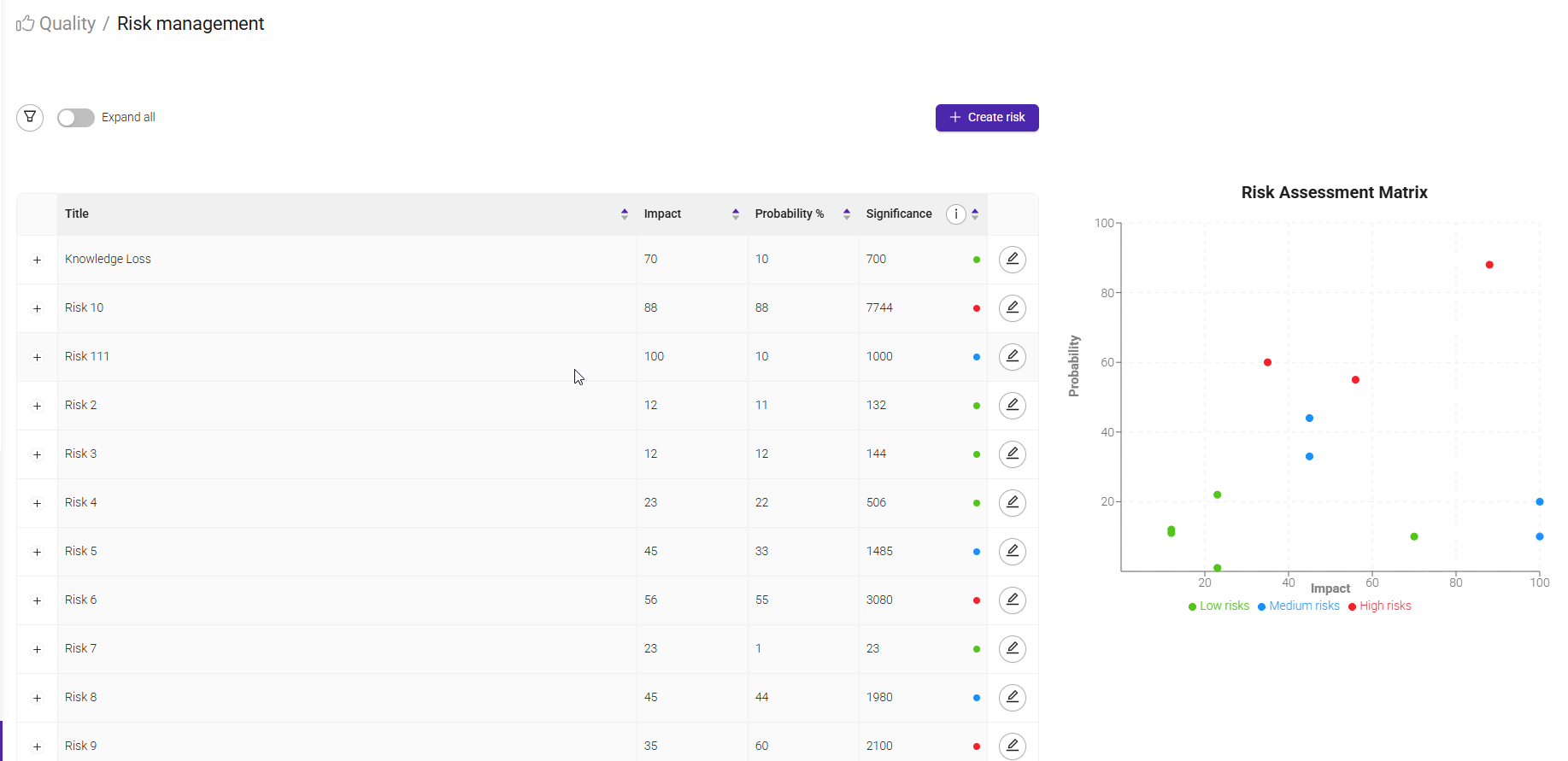
This page provides an overview of all registered risks and helps you assess and prioritize them based on their potential impact and likelihood.
The risk list displays each risk along with its Impact, Probability, and Significance score.
Risks can be sorted to quickly identify the most critical items that require attention.
The Risk Assessment Matrix offers a visual representation of risks by plotting their impact against their probability. This helps teams understand which risks are low, medium, or high priority:
- Low risks have a limited impact and a low probability of occurring.
- Medium risks require monitoring and may need mitigation measures.
- High risks should be prioritized, with clear mitigation strategies and contingency plans in place.
When creating a risk, you can capture key information such as the title, description, classification tags, impact, probability, existing controls, mitigation strategy, and contingency plan. This provides a complete overview of the risk and how it should be managed.
Click on the '+create risk' and a new window will open.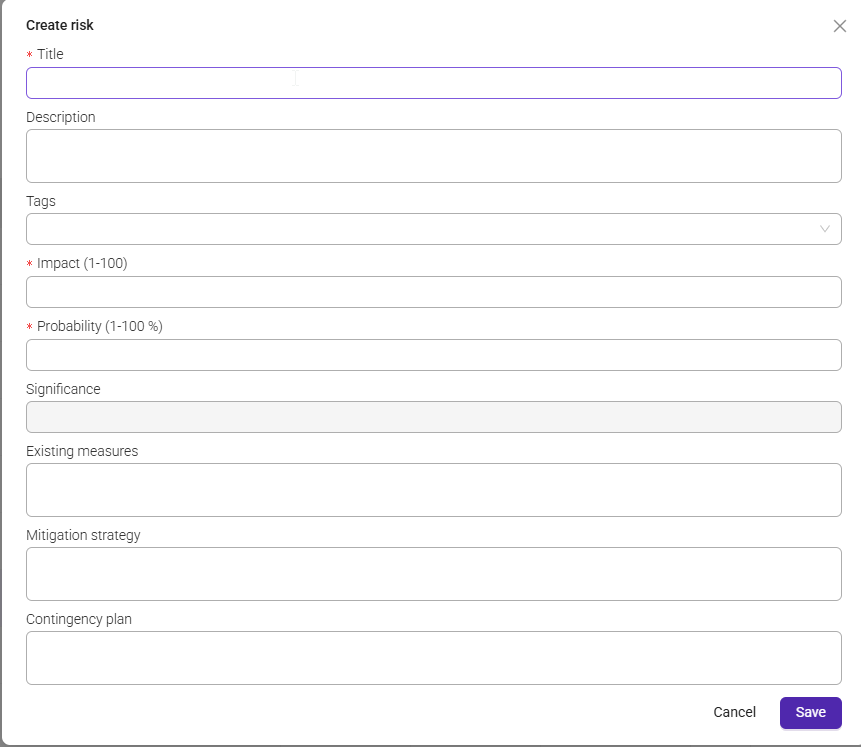
The Title should provide a short and clear name for the risk, while the Description can be used to explain the situation, potential causes, and possible consequences in more detail.
Tags help categorize risks and make them easier to find and report on later.
The Impact field measures how serious the consequences would be if the risk occurs.
The Probability field indicates how likely it is that the risk will happen.
Based on these values, the system automatically calculates the Significance score, helping you determine the overall priority of the risk.
In the Existing Measures field, you can document any controls, procedures, or safeguards that are already in place to reduce the likelihood or impact of the risk.
The Mitigation Strategy describes the actions that should be taken to reduce the probability of the risk occurring or to lessen its potential impact.
This helps teams proactively manage risks before they become issues.
The Contingency Plan outlines the actions that should be taken if the risk does occur.
Having a contingency plan in place helps the organization respond effectively, minimize disruption, and maintain business continuity.
Once all relevant information has been entered, select Save to add the risk to the risk register. The risk will then be included in the risk overview and displayed in the Risk Assessment Matrix according to its impact and probability.
Was this article helpful?
That’s Great!
Thank you for your feedback
Sorry! We couldn't be helpful
Thank you for your feedback
Feedback sent
We appreciate your effort and will try to fix the article