Find customers and open a customer profile by clicking a customer in the customer overview.
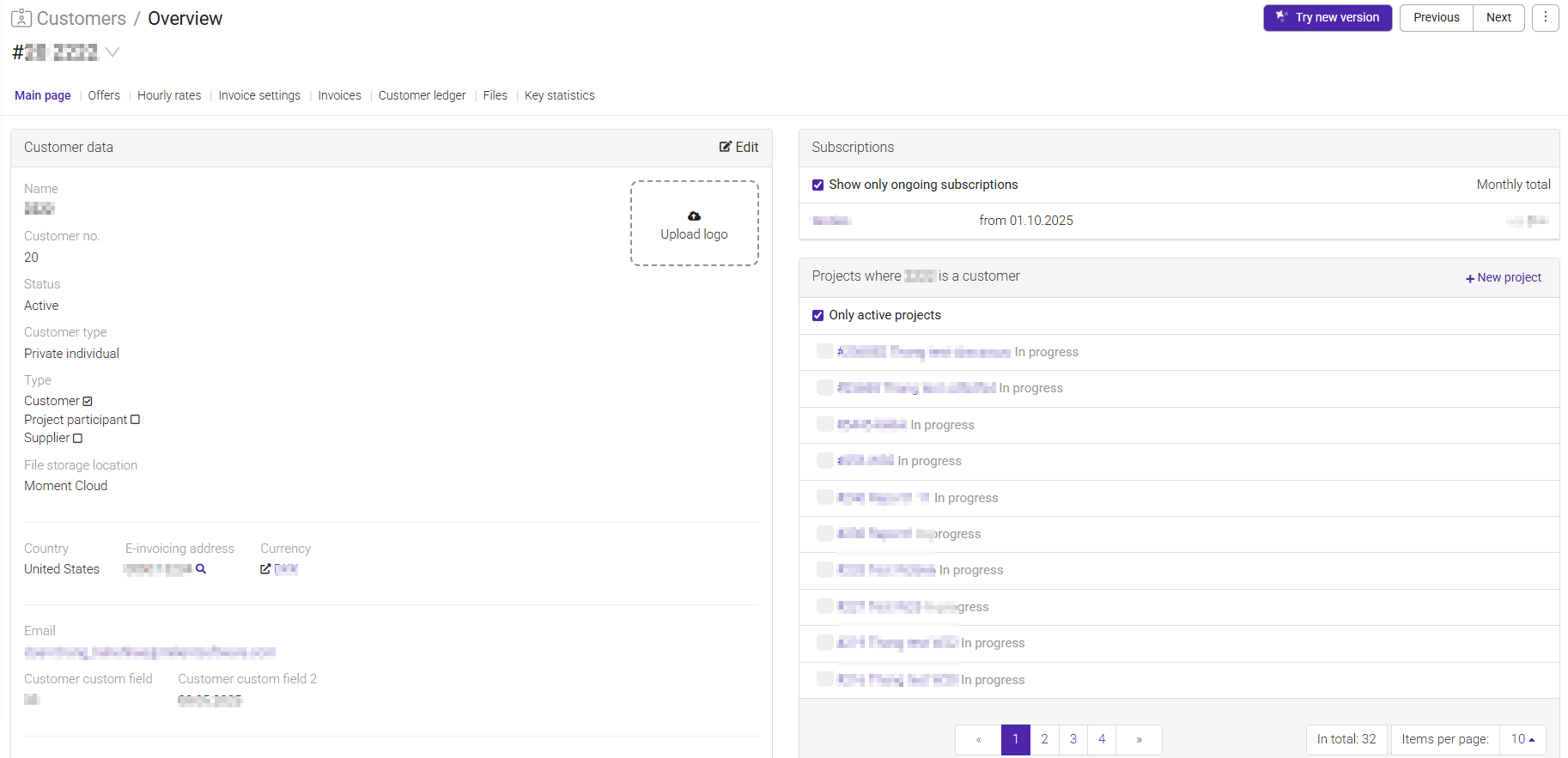
The Customer Profile is the main place for viewing and managing customer information.
Each customer has their own profile page containing all relevant customer details, contacts, projects, invoicing settings, and customer-specific configuration.
From the customer profile, you can:
- View customer details such as name, address, and organization number.
- See related projects connected to the customer.
- Manage linked contacts and contact information.
- Configure invoicing preferences and billing settings.
- Review customer-related activity and information.
- Add additional customer data such as bank account numbers, addresses, and email addresses.
- Navigate quickly between customer profiles using the Previous and Next buttons.
- Merge duplicate customer records when needed.
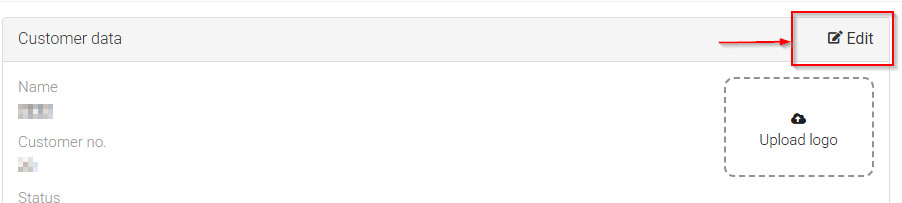
Click the edit button to add additional information to the customer profile, such as:
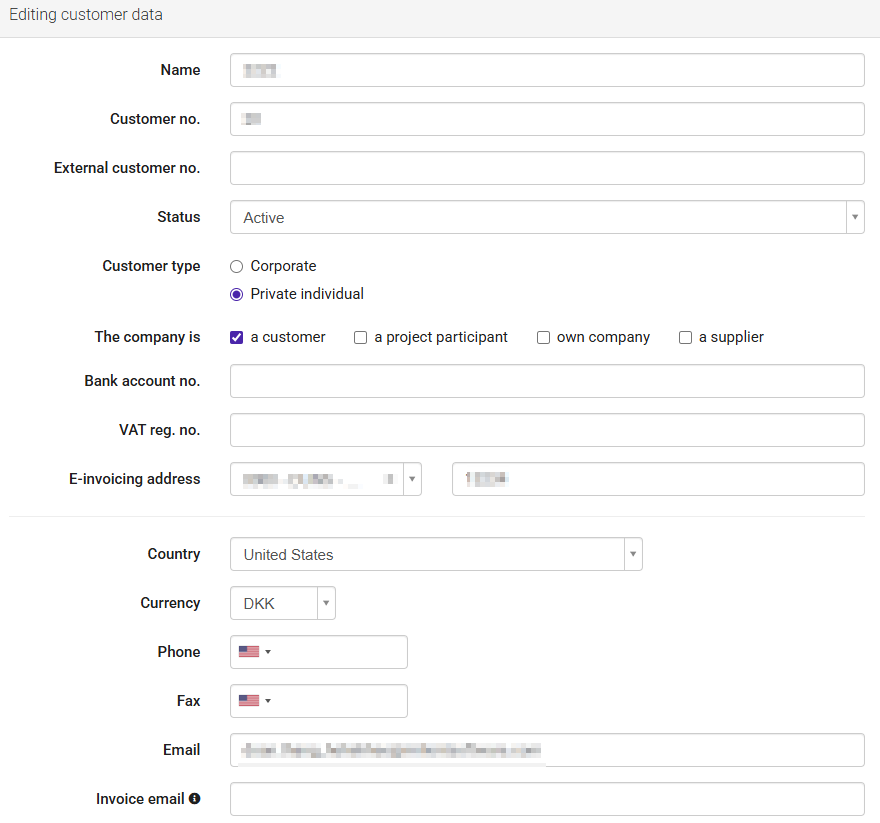
- Bank account number
- Address
- Email address
- Other relevant customer information
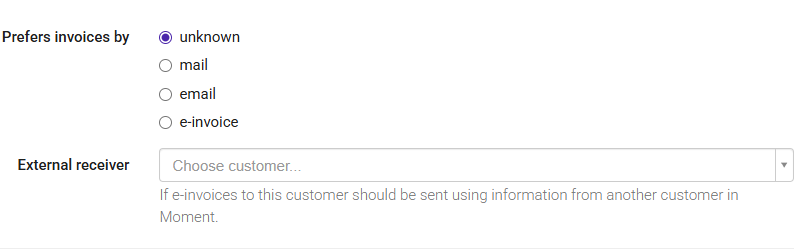
Under Prefers invoices by, you can choose how invoices should be sent to the customer.
For customers in Norway, you can send invoices using EHF (Elektronisk handelsformat), Norway's standard format for electronic invoicing. You can also send e-invoices to customers in other countries through our partner Maventa, but this requires country-specific e-invoicing addresses and setup.
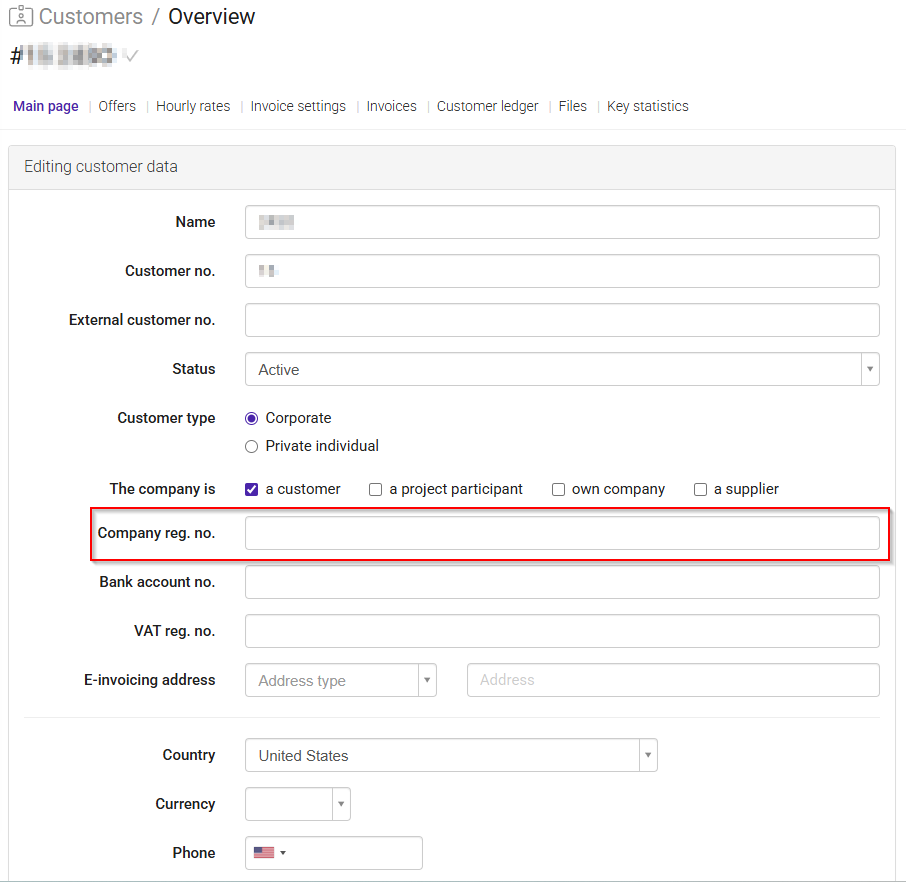
To enable EHF invoicing:
- Open the customer profile in Edit mode.
- Enter the customer's organization number in Company reg. no.
- The EHF receiver is automatically retrieved based on the organization number.
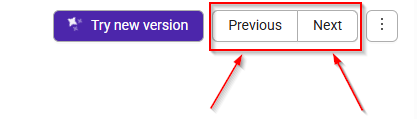
Use the Previous and Next buttons in the upper-right corner of the page to quickly move between customer profiles without returning to the customer overview.
If duplicate customer records exist, you can combine them into a single customer profile.
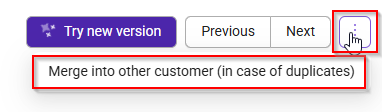
- Open the customer profile.
- Click Merge into other customers in the upper-right corner.
- Select the duplicate customer.
- Complete the merge process.
This helps maintain a clean and accurate customer database.
Was this article helpful?
That’s Great!
Thank you for your feedback
Sorry! We couldn't be helpful
Thank you for your feedback
Feedback sent
We appreciate your effort and will try to fix the article