Project roles are used to define the different responsibilities and positions that coworkers can have within a project. They can also be used as the basis for calculating hourly rates when creating offers and invoicing time registrations.
Note: Project roles are not the same as Access Roles. Access Roles control what users can see and do in Moment, while Project Roles are used for project management, resource planning, and pricing.
By default, Moment includes the roles Project Leader and Project Member, but you can modify these roles or create your own to match your organization's needs.
To manage project roles, navigate to Setup → Project Roles.
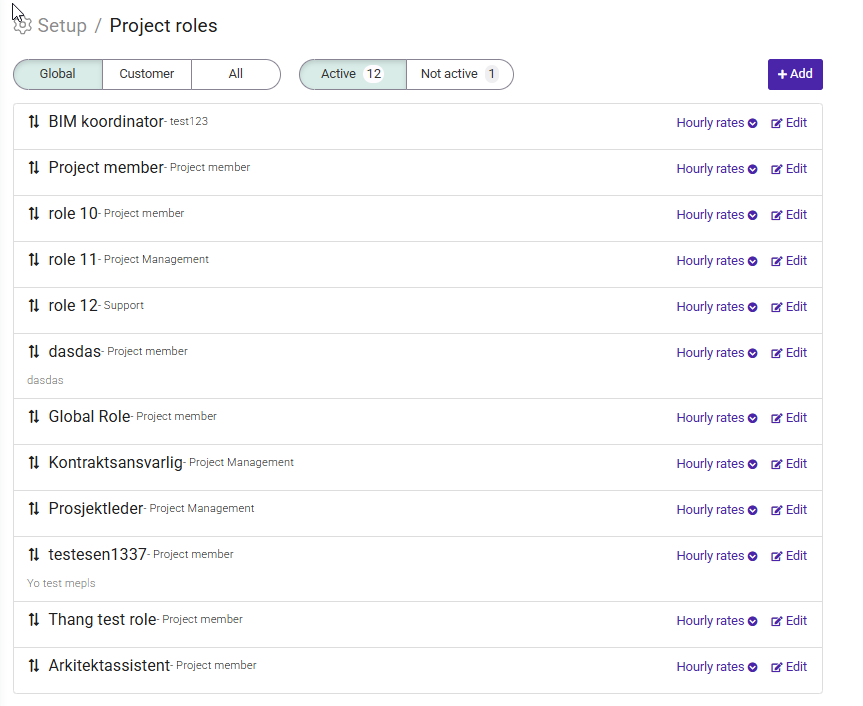
The Project Roles page displays all roles available in your organization. Here you can create new roles or edit existing ones.
For each role, you can define:
- The role name.
- The sales price (hourly rate).
- The wage cost.
The values entered here can later be used when calculating project profitability and determining hourly rates in price models.
Project roles are assigned on a project's main page.
To assign a role, open the project and click the coworker's name. You can then select one or more roles for that coworker.
A coworker can have multiple roles within the same project if needed.
For example, a coworker may act both as a consultant and a project manager on the same project.
Project roles can be used as the basis for calculating hourly rates in a project's price model.
To use role-based pricing:
- Set up the sales prices for your roles under Setup → Project Roles.
- Open the project's price model.
- Select Project Roles as the basis for hourly rate calculation.
When time is registered, Moment will use the rate defined for the assigned role when calculating the invoice amount.
This makes it possible to charge different hourly rates depending on the role being performed, while still allowing multiple coworkers to share the same role and pricing structure.
Was this article helpful?
That’s Great!
Thank you for your feedback
Sorry! We couldn't be helpful
Thank you for your feedback
Feedback sent
We appreciate your effort and will try to fix the article