Use Overtime Categories to define the different types of overtime used in your company.
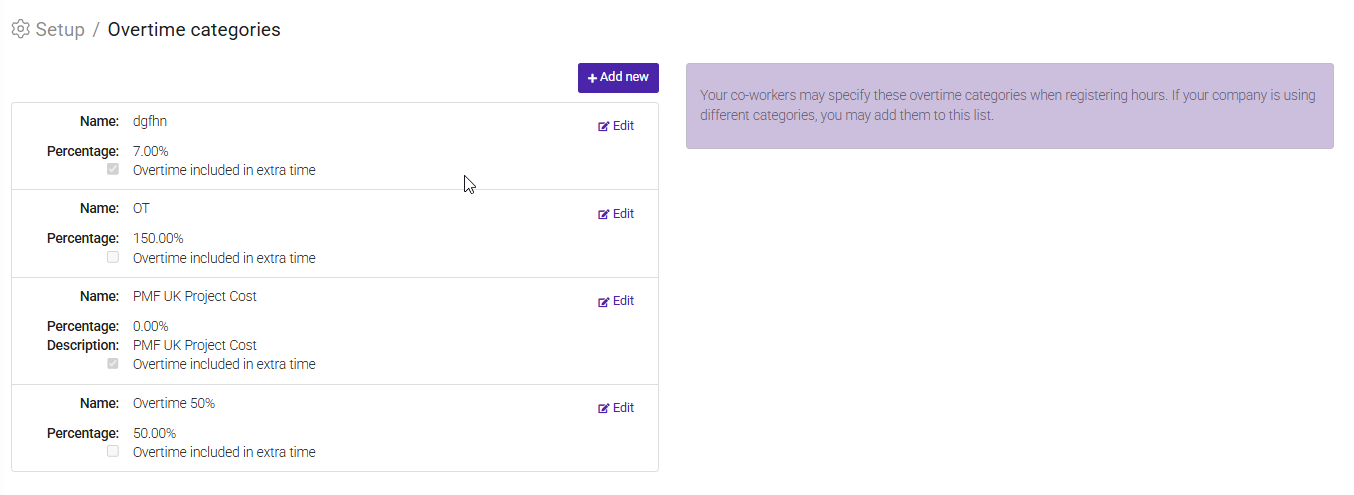
Employees can select these categories when registering overtime hours, ensuring that overtime is tracked and compensated correctly.
Each overtime category includes:
- Name – The label employees will see when registering time (for example, Overtime 50% or Overtime 150%).
- Percentage – The overtime rate associated with the category. This percentage can be used when calculating overtime pay.
- Description (optional) – Additional information about the overtime category.
- Overtime included in extra time – Enable this option if hours registered on this overtime category should also be counted as extra time.
Add a New Overtime Category
- Go to Setup > Overtime Categories.
- Click + Add new.
- Enter a Name and Percentage.
- Optionally, add a Description.
- Select Overtime included in extra time if applicable.
- Save your changes.
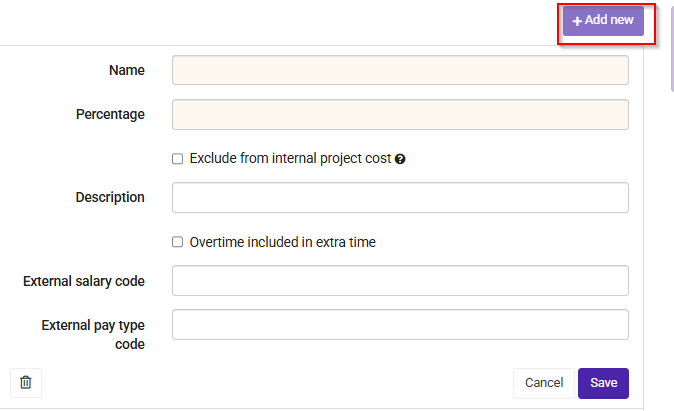
To update an overtime category, click Edit next to the category you want to change. Make the necessary adjustments and save the changes.
Was this article helpful?
That’s Great!
Thank you for your feedback
Sorry! We couldn't be helpful
Thank you for your feedback
Feedback sent
We appreciate your effort and will try to fix the article